

Introduction
Most creators deal with leaks one at a time: a copy turns up, a notice goes out, and the next one follows. A simple record of what you found, what you sent and what happened makes that work easier. It shows you where copies keep turning up, which sites act on notices, and whether the problem is growing or shrinking.
This guide covers which numbers are worth keeping, how to read them honestly, and what the Adult Model Protection (AMP) dashboard shows if you use our service.
What to Record for Each Copy You Find
You do not need special software to start. A spreadsheet with one row per copy is enough:
- The link and the date you found it. Save the exact URL and the date. Do not screenshot, download or archive pages with sexual content; the link and the date are what a notice needs.
- Which piece of content it is. The post, set or video it was copied from, so you can see which content is copied most.
- The site. The domain the copy is on.
- The notice. The date you sent it and where it went (the site's copyright contact, its host, or a search engine).
- The outcome. Removed, not removed, or still in progress, and the date the page was gone.
Keep the record up to date as you go. Send a notice as soon as you find a copy, and log it when you send it rather than saving notices up for a batch.
Detection Numbers: What Is Out There
How many copies you find. Count new copies per month. A rising number can mean your content is reaching more people, or that copies are spreading faster than they are removed. The count alone does not tell you which, so look at it together with your takedown results.
Where copies turn up. Sort your rows by site. If the same sites come up again and again, those are the places to check first next time, then widen the search.
Which content is copied. Sort by content. Creators commonly report that new posts are copied soonest, so it makes sense to check for copies of new releases first.
How many matches were really yours. Searches by name or by image can return look-alikes. Count how many results you checked and how many were really your content, so you know how much checking a search takes.
Takedown Numbers: What Happened After the Notice
Removed, not removed, in progress. For each period, count how many notices led to removal, how many did not, and how many are still open. This number is worth keeping because it shows which sites act on notices and which need another route.
Time to removal. Note the days between the notice and the removal. Removal times vary by site, and most sites publish no figure. Google does: its average processing time for copyright removal requests through its web form is about 6 hours, though individual requests vary. For a complete notice to a site that responds to notices, our estimate is 24 to 72 hours; it is an estimate, not a guarantee.
Which sites ignore notices. Keep a simple list of the sites that did not remove your content. Those cases need a different route: a follow-up, an escalation to the site's host or other providers, or a request to search engines to drop the page from their results. Our page on search engine de-indexing explains that last route.
Copies that come back. Mark a row when a removed copy reappears, on the same site or another. Copies can come back after a removal, and each one needs a new notice.
Reading Your Numbers Without Guessing
Numbers are only useful if you read them for what they are. A few cautions:
- Leaks and cancellations. If you want an idea of what leaks cost you, compare your own cancellations before and after a large leak. Other things change cancellations too (prices, posting schedule, the time of year), so treat the result as a rough signal, not proof.
- Value at risk. You can estimate which content matters most by looking at what earns most (pay-per-view sales, the posts that bring in subscribers) and checking for copies of those first. This is a manual exercise; AMP does not calculate it for you.
- Who leaked it. It is tempting to read timing or tiers as proof that a particular subscriber leaked your content. Timing is not proof, and accusing a paying customer wrongly costs you a customer and trust. Watermarks are a better tool: OnlyFans, for example, offers a free watermark in its "Privacy and Safety" settings. AMP does not identify who leaked your content, and watermarking by AMP is in development, not a current feature.
A Simple Review Routine
Once a week, look at the new rows: copies found, notices sent, removals confirmed. Follow up on any notice that has had no result.
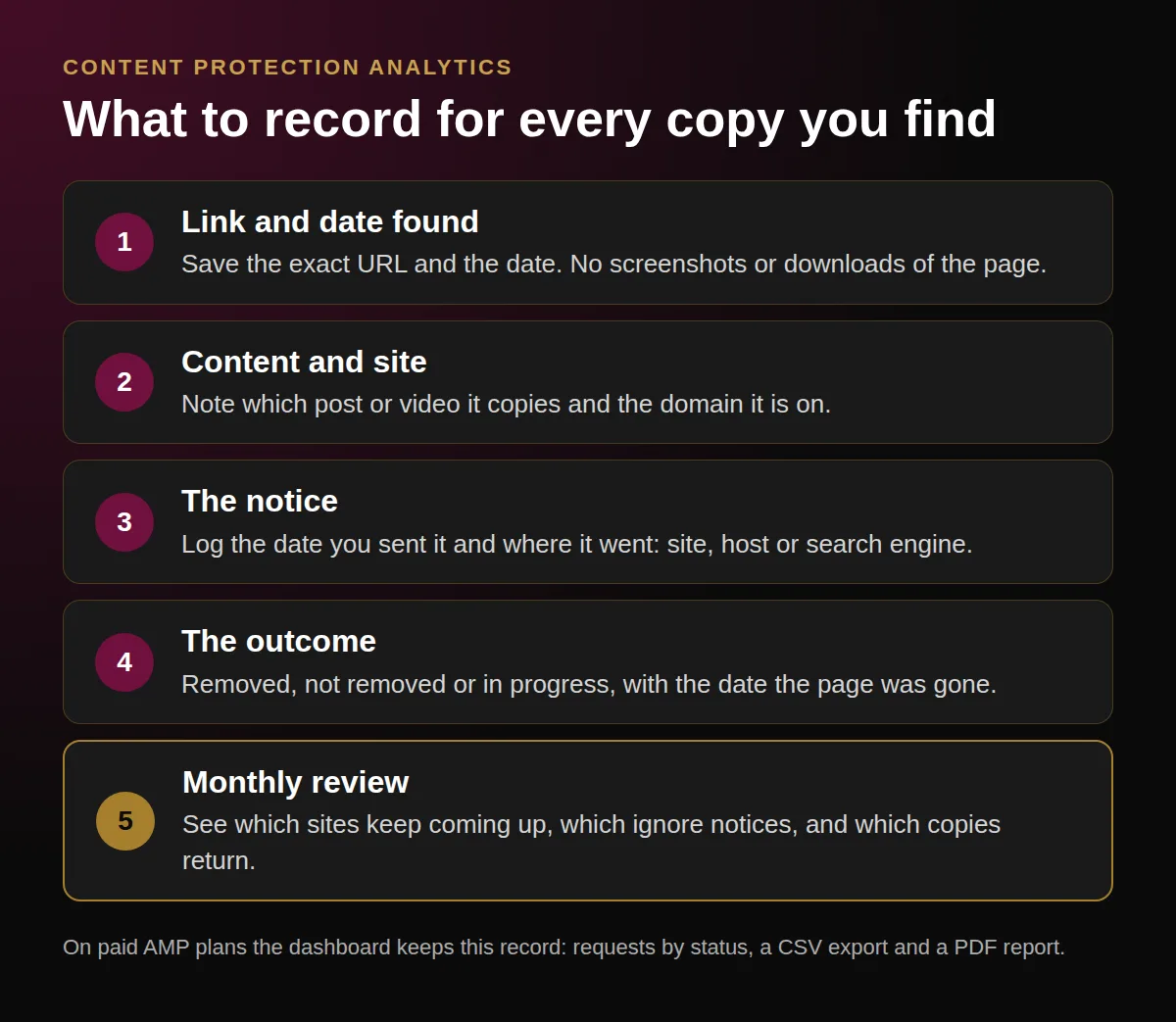
A simple record per copy shows where leaks turn up and which notices worked.
Once a month, look at the totals: how many copies, which sites, how many removed and how many not. Decide which sites to check first next month and which cases need another route.
Keep the routine short. The goal is to send notices quickly and follow up on the ones that did not work, not to build reports.
What the AMP Dashboard Shows
If you use Adult Model Protection, most of this record is kept for you. On paid plans, our team runs regular scans of Google, Bing, Yandex and more than 500 known leak and piracy sites, reverse image searches with the content assets you upload, and manual searches. A person on our takedown team checks every notice before it is sent, and after a notice we check whether the page is gone and follow up when it is not.
Your account shows:
- Dashboard: your active detections and your requests by status (being prepared, removed, partly removed, closed).
- Scan results: each result with a confidence score, the average score, and a filter by score.
- Analytics: protected assets, sites with detections, and the success rate (removed, not removed, in progress) for the period you choose, with a downloadable PDF report. The analytics dashboard guide explains each part.
- Takedowns: a list of every request with its status and filters, and a CSV export.
- Your own links: you can submit links you found yourself as new takedown requests.
- Notifications: a notification when a scan finds a new copy.
- Monitoring list: the list of your own sites.
Exports are included on paid plans; the Free plan includes a dashboard preview and a quarterly web scan. The dashboard does not show revenue or return on investment figures, and it does not predict where leaks will appear.
Takedown notices start on the Essentials plan; our page on DMCA takedowns for adult content explains how a notice works and what each plan includes.
Start With What You Have
Even a short record helps:
- Save the link and the date for every copy you find.
- Send a notice as soon as you can, and log it.
- Record the outcome and the date.
- Once a month, look at which sites keep coming up and which ignore notices.
Want this record kept for you? Start Free Plan for a quarterly web scan and a dashboard preview, or compare the plans to see which one includes takedowns.